 Timeline
See your Google Timeline on a map
Open your Google Maps Timeline export to browse every day and every place you’ve been. Free, and your file stays on your device.
- Opened on your device
- Never uploaded
- No sign-up
Get your Timeline file
Google keeps Timeline on your phone now, so that’s where you export it.
- Open Google Maps and tap your profile picture.
- Go to Settings, then Location & Privacy, and tap Export Timeline data.
- Save it to Files, then open it above. This page works in Safari on the same iPhone.
 Google’s steps for iPhoneGoogle Maps Help
- Open the phone’s Settings app.
- Go to Location, then Location services, then Timeline, and tap Export Timeline data.
- Save the file, then open it above on your phone or computer.
Google’s steps for AndroidGoogle Maps Help- Find the Takeout download you made before Timeline moved to your phone.
- Open the whole zip, the Semantic Location History folder, or Records.json.
Takeout no longer includes your visits once Timeline is on your phone. How to export your Google Maps Timeline
What you’ll see
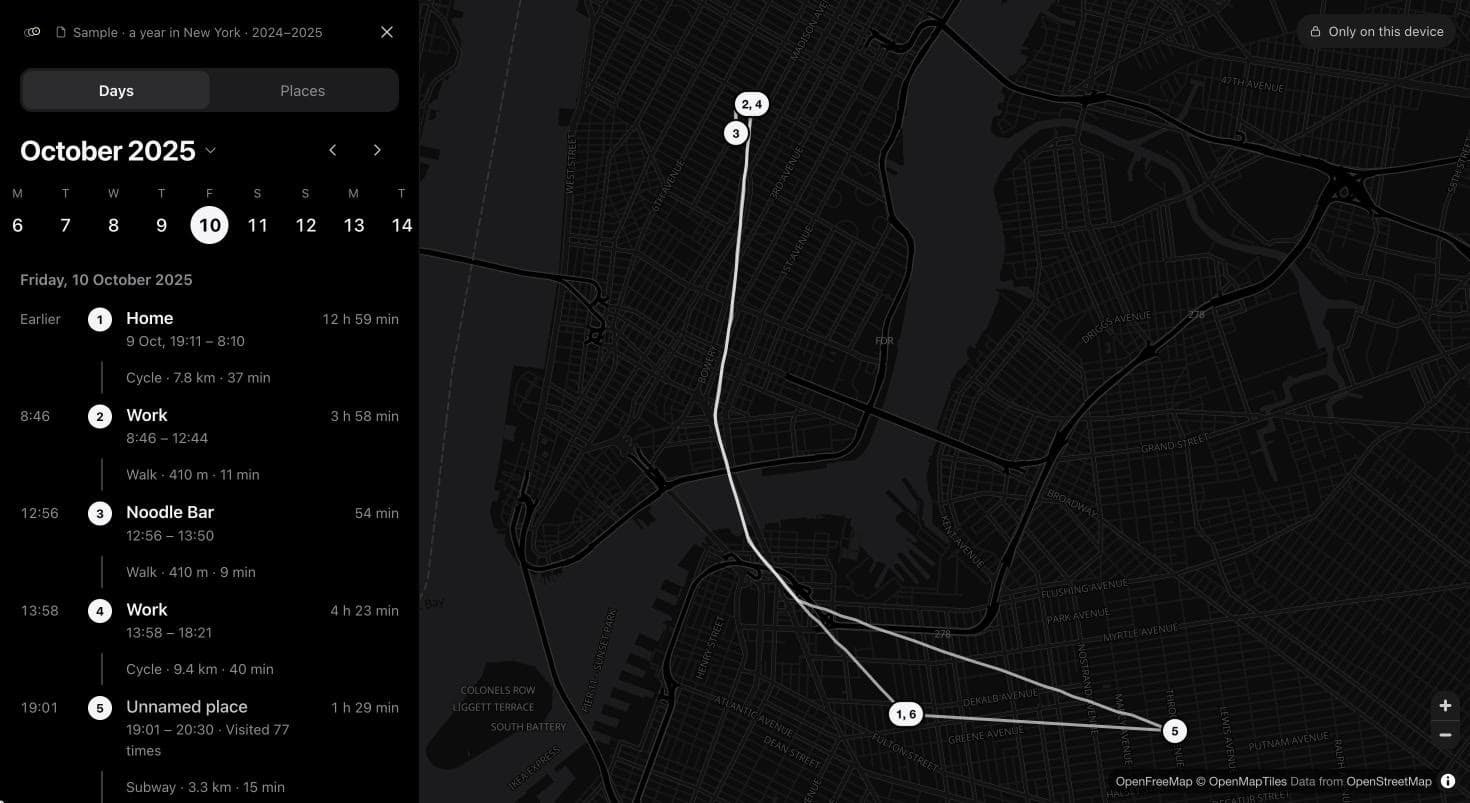
Every day on a map
Your stops in order, the trips between them, and the gaps where nothing was recorded.
Every place you’ve been
Ranked by time spent, with each day you were there and what happened on this day in other years.
Names that stay with you
Phone exports leave out place names. Name a place once and every visit to it updates, in this browser.
Questions
Is my Timeline uploaded?
No. This page opens your file on your device and never sends it anywhere. Names you give places are saved in this browser.
Why do my places have no names?
Google’s phone exports only include coordinates, plus Home and Work. Name a place once and every visit to it updates. Old Takeout files do include names.
Does it work on my phone?
Yes. Export your Timeline, then open this page in Safari or Chrome on the same phone and choose the file. You don’t need a computer.
Which files work?
Android and iPhone exports (location-history.json or Timeline.json) and old Takeout downloads: the zip, the Semantic Location History folder or Records.json. Open files from two phones together to see them as one history.
Is it free?
Yes. There’s no account, no limit on file size beyond what your browser can hold, and no ads.
Can I still see Timeline at timeline.google.com?
No. Timeline moved to your phone, and the web version no longer shows your visits. How to see your Google Timeline on a computer has the details.
Google Timeline guides
How to export your Google Maps Timeline
Save a copy on Android or iPhone, back it up, and read the file.
4 minHow to see your Google Timeline on a computer
Export the file from your phone and open it in a viewer.
4 minWhy your Google Timeline is missing visits
Find the cause of missing visits and days, and what you can recover.
5 min